General
GQ-1: What's the difference between data.station and data.mobile sheets?
GA-1: Please use data.station, if data have station indexes. If not, please use data.mobile and define geographical box by yourself.
GQ-2: Where do I get created metadata records on my computer?
GA-2: Created Metadata records are located in the same directory of the Excel tool.
GQ-3: Do I get any messages when I run the macro?
GQ-3: Yes, you would get a logfile named (Excel tool file name).log in the same directory of the Excel tool.
Run Macro
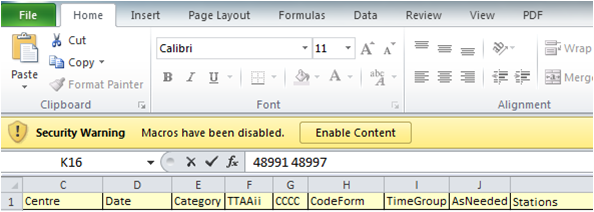
MQ-1: What should I do with a warning like this when I open the Excel?
MA-1: You can click Enable Content and continue. This tool contains “macro” and many systems give you a warning when you open it.
MQ-2: I cannot run the macro. (I cannot see the export button.)
MA-2: Please follow page 1 instruction to enable macro function, and see if the export button works. If you still cannot run the macro, try page 2 instruction to run it manually.
Station Index
SQ-1: What should I do when I get an error “station xxxxx not found in table Volume A”
SA-1: Please check “VOLA” sheet and make sure all your volume A station indexes are listed. If not and if you have Volume A records, please add them in the same format as other indexes. If your station indexes are not listed in the latest flat file of Volume A published on this webpage, you first need to register station indexes to WMO Publication No.9 Volume A, before using our Excel tool. For registration procedures, please refer to this webpage.
Metadata Upload to GISC Tokyo
UQ-1: I cannot upload my metadata records, getting an error saying “You do not have authority to upload metadata.”
UA-1: You need a privileged ID to upload metadata records to GISC Tokyo. If your center is associated with GISC Tokyo as principal or has intention to use GISC Tokyo's interim metadata service, please let us know.
UQ-2: I cannot upload my metadata records, getting an error saying “Content not allowed in prolog.”
UA-2: You need to change character set of metadata records before uploading. Please follow this instruction.